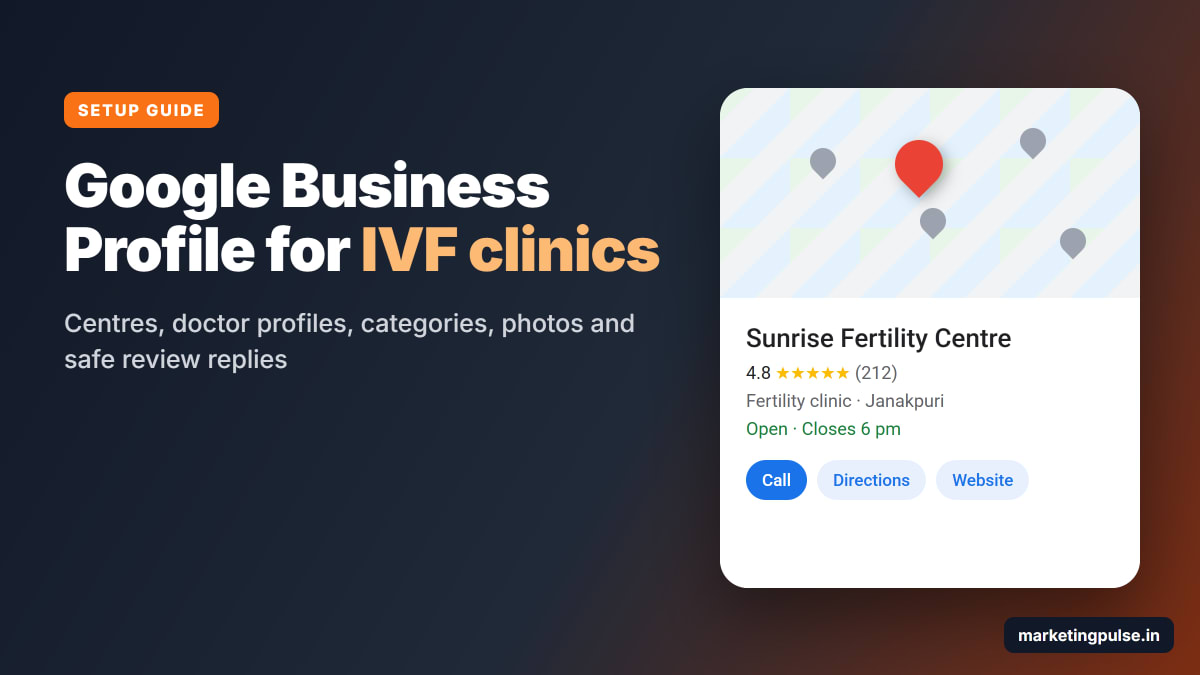
When a couple in Janakpuri types "IVF centre near me" into Google, the first thing they see is a map with a few clinics on it. Each one shows a star rating, the number of reviews and a Call button. Many couples call one of those clinics without ever opening a website.
That map comes from Google Business Profile, the free listing that used to be called Google My Business. It matters a lot for IVF centres because one IVF cycle can mean several scans and blood tests in about two weeks, so patients choose a centre they can reach easily.
This guide shows you how to set it up for one centre or twenty, with doctor profiles, the right categories, photos, and review replies that never reveal a patient's treatment. Every step follows Google's rules and comes with a picture.
Why your Google profile matters so much for an IVF centre
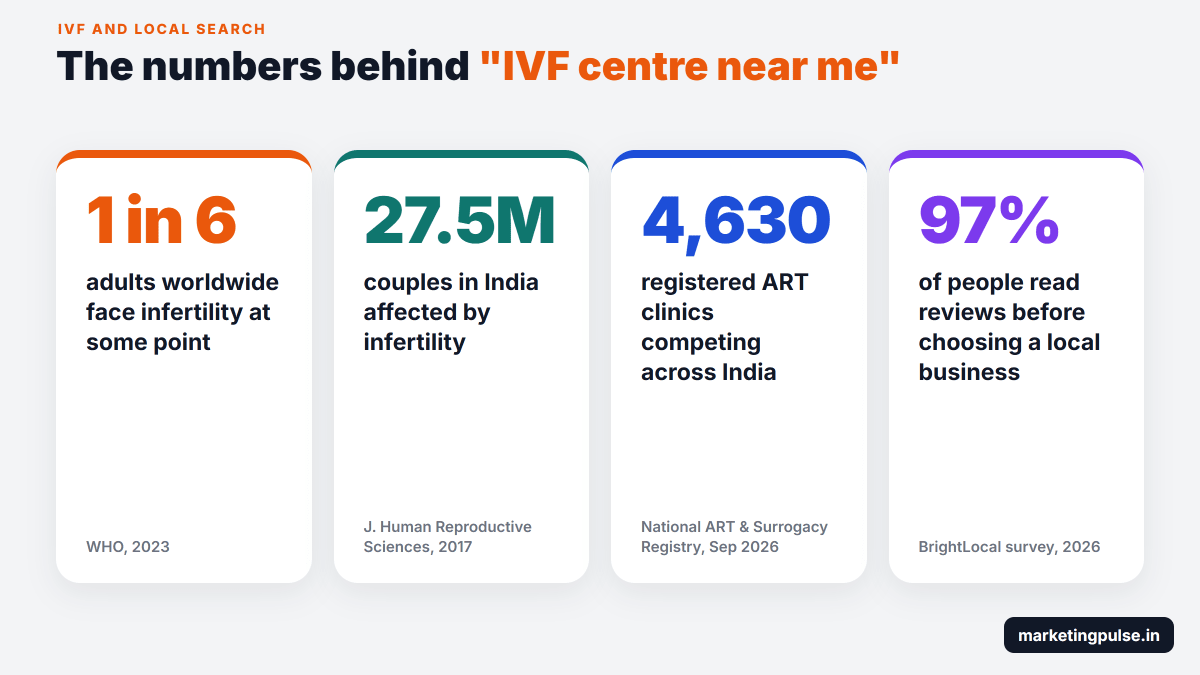
The World Health Organization says about 1 in 6 adults worldwide face infertility at some point. In India, a 2017 paper in the Journal of Human Reproductive Sciences put the number at nearly 27.5 million couples.
Patients also have plenty of choice. India's National ART and Surrogacy Registry listed 4,630 registered ART clinics when we checked in September 2026. In a big city there can be ten fertility clinics within a few kilometres, and patients compare them on Google first.
Reviews decide a lot of that comparison. In BrightLocal's 2026 survey of 1,002 consumers, 97% read reviews before choosing a local business and 89% expect the owner to reply.
- Read reviews before choosing97%
- Care about the star rating92%
- Expect the owner to reply89%
- Want reviews from the last 3 months74%
- Need at least 4 stars68%
- Put off by copy-paste replies50%
Source: BrightLocal Local Consumer Review Survey 2026, 1,002 consumers in the US.
Plan your listings before you create anything
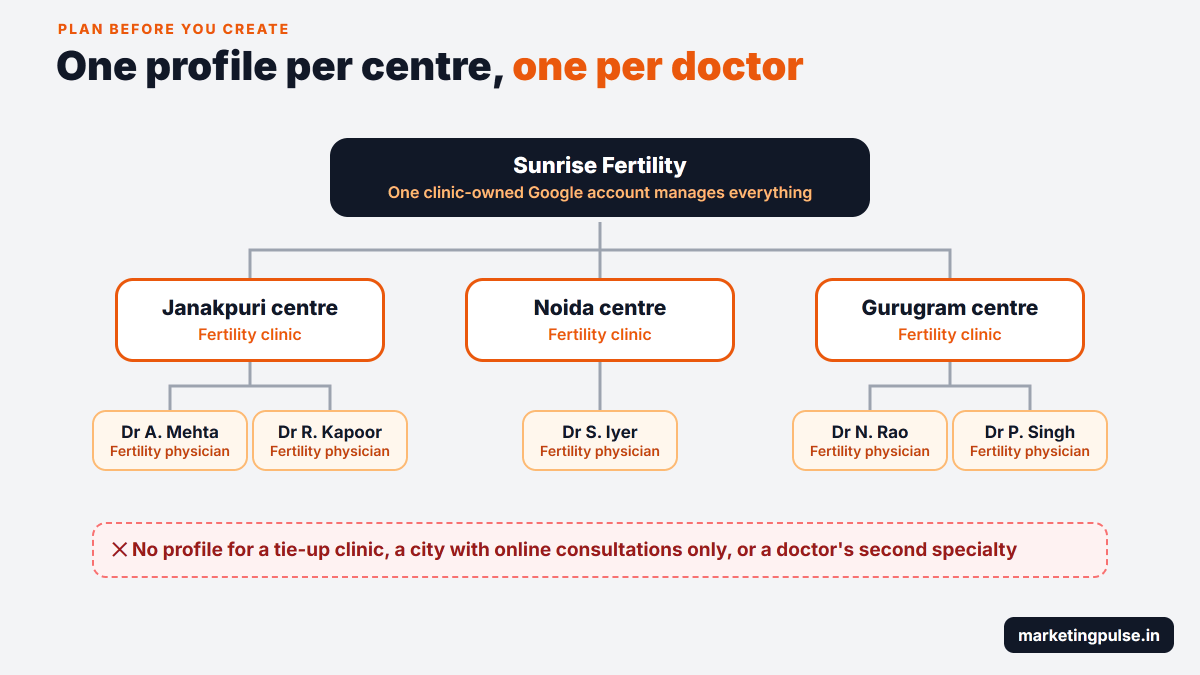
We often see one profile covering five centres, or the same doctor listed three times. Decide who gets a profile first, using Google's guidelines for representing your business.
| Who or what | Own Google profile? | Why |
|---|---|---|
| Each centre with its own address and staff | Yes, one per centre | Patients visit it, and Google verifies each address |
| Each fertility specialist who sees patients | Yes, one per doctor | Google treats doctors as individual practitioners |
| A clinic where only one doctor sees patients | One shared profile | Google's format is "Brand: Doctor name" |
| An in-house lab or pharmacy | Usually no | Only if it has its own public entrance and hours |
| A city with online consultations only | No | Google needs a real place patients can visit |
| A doctor's second specialty | No | One profile per doctor |
Step by step: set up your first centre
Keep ready the clinic name as it is on your signboard, the full address with PIN code, the centre's phone number, the link to the centre's page on your website and your opening hours. The form takes about 20 minutes.
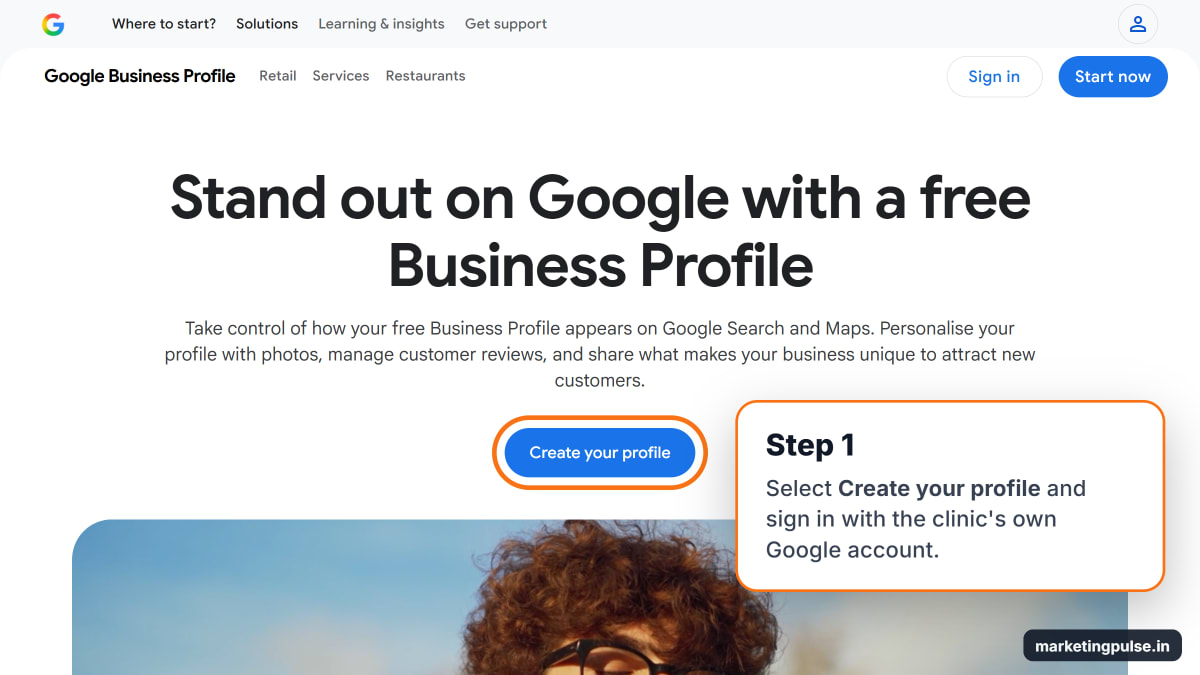
Step 1. Open Google Business Profile. Go to google.com/business and select "Create your profile". Sign in with the clinic's Google account.
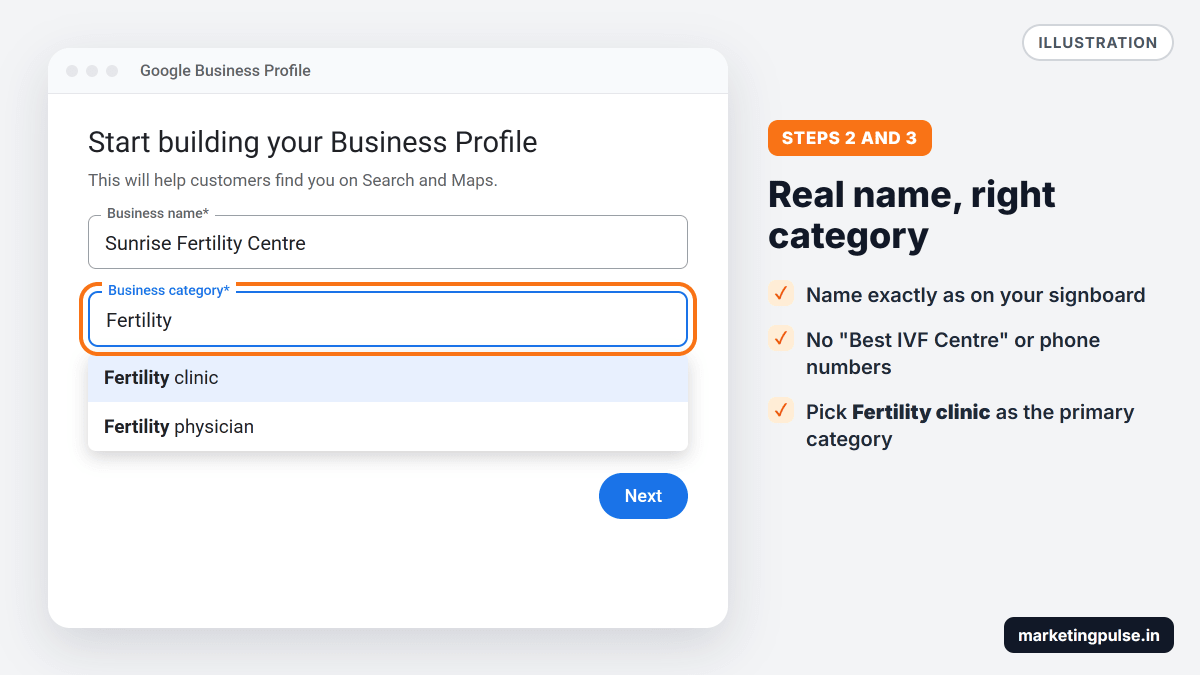
Step 2. Enter the clinic's real name. Type the name exactly as it appears on your signboard, for example "Sunrise Fertility Centre". Do not add "Best IVF Centre in Delhi" or a phone number. Google does not allow it, and stuffed names often get suspended. If Google suggests an existing listing with your name, claim it instead of making a new one.
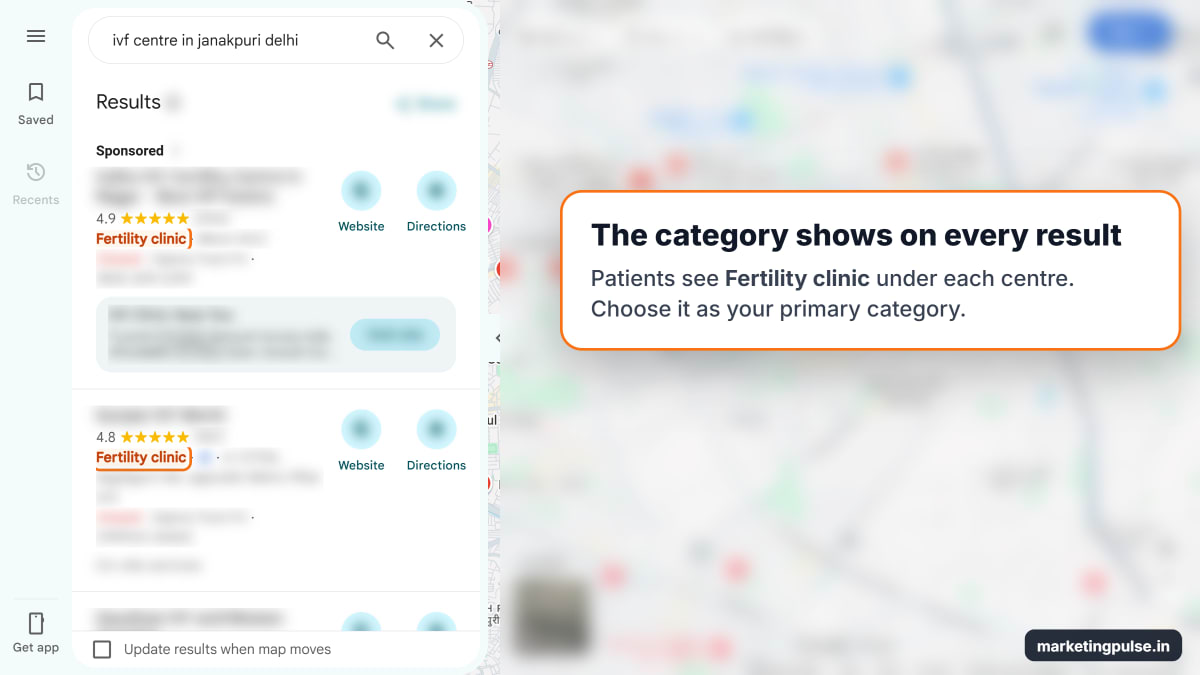
Step 3. Choose "Fertility clinic" as the category. Type "Fertility" and pick Fertility clinic. This primary category has the biggest effect on which searches your centre appears in.
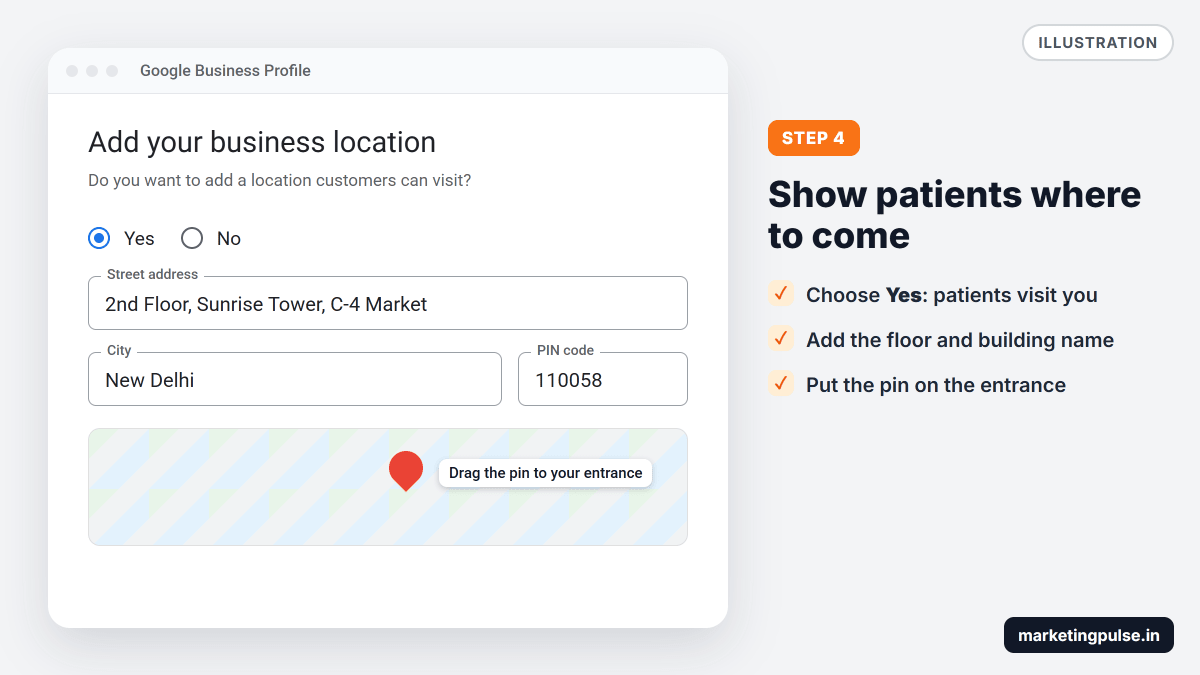
Step 4. Add the centre's address. When Google asks whether customers can visit you, choose Yes. Enter the full address with PIN code and drag the pin to your entrance. If the centre is on an upper floor, add the floor and building name.
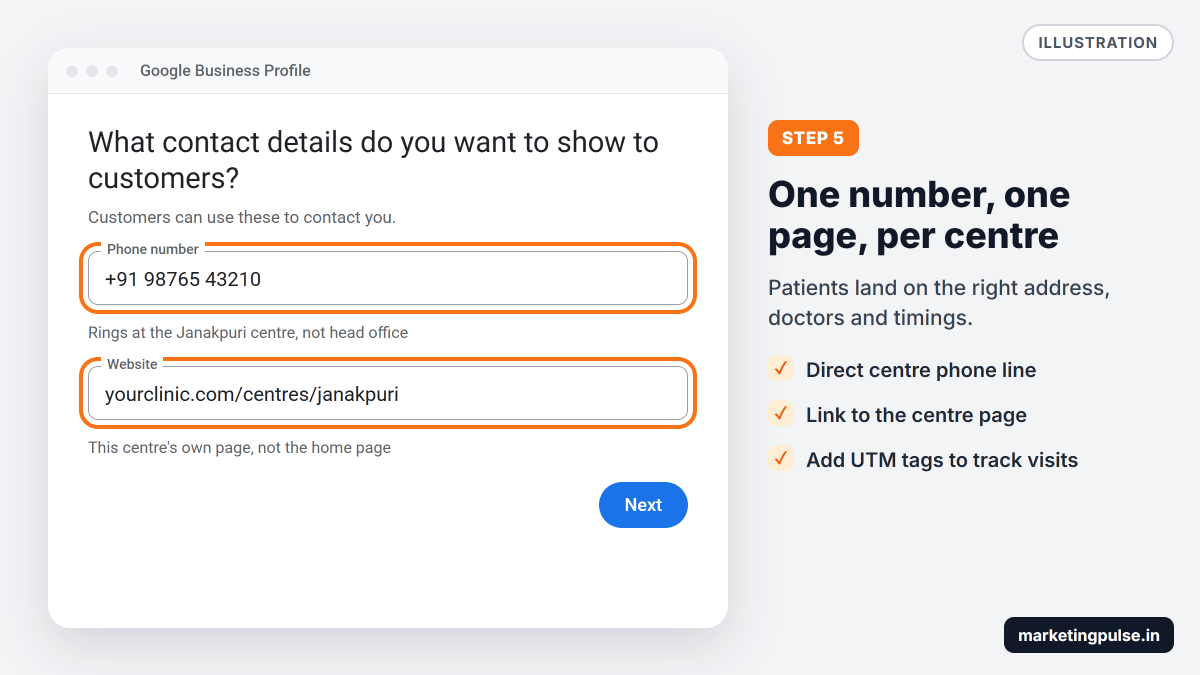
Step 5. Add the phone number and website. Use a number that is answered at this centre, not a head office line. Link to the centre's own page, such as yourclinic.com/centres/janakpuri, so patients land on the right address, doctors and timings. Adding ?utm_source=google&utm_medium=gbp to the link shows these visits separately in Google Analytics.
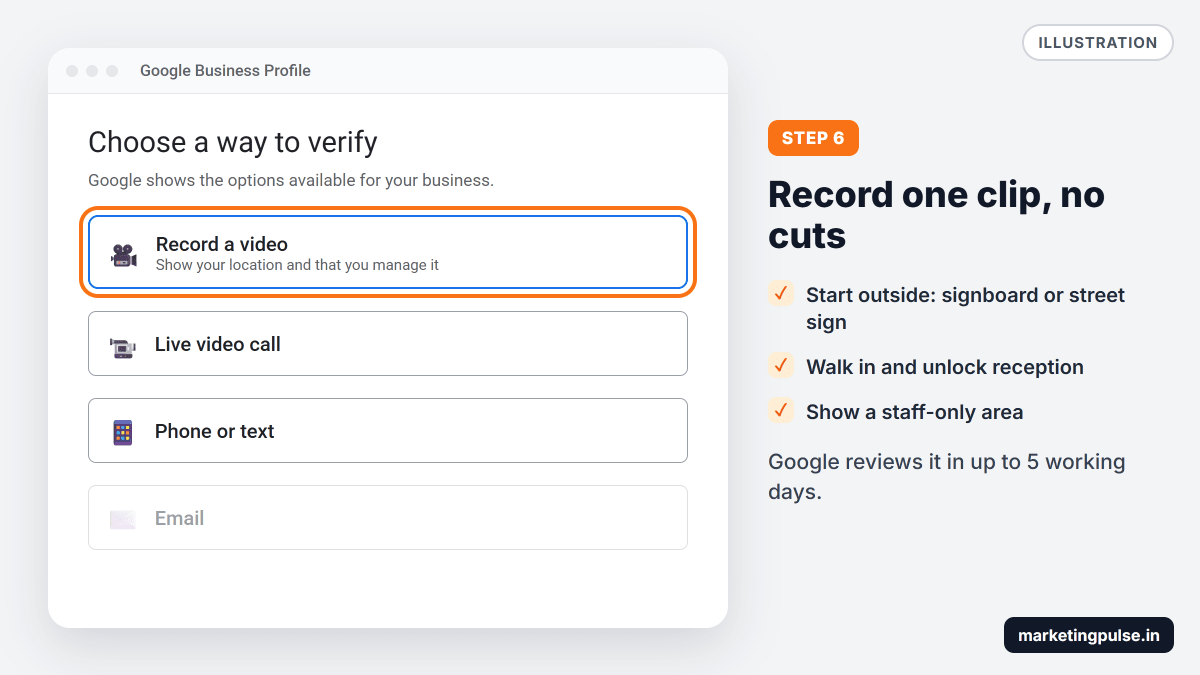
Step 6. Verify the centre. Google shows the methods open to you: phone or SMS, email, a live video call or a recorded video. For a video, record one continuous clip showing the signboard or a nearby street sign, then proof that you run the clinic, like unlocking reception or showing a staff-only area. Google says reviews take up to 5 working days, and the profile stays off Maps until approved.
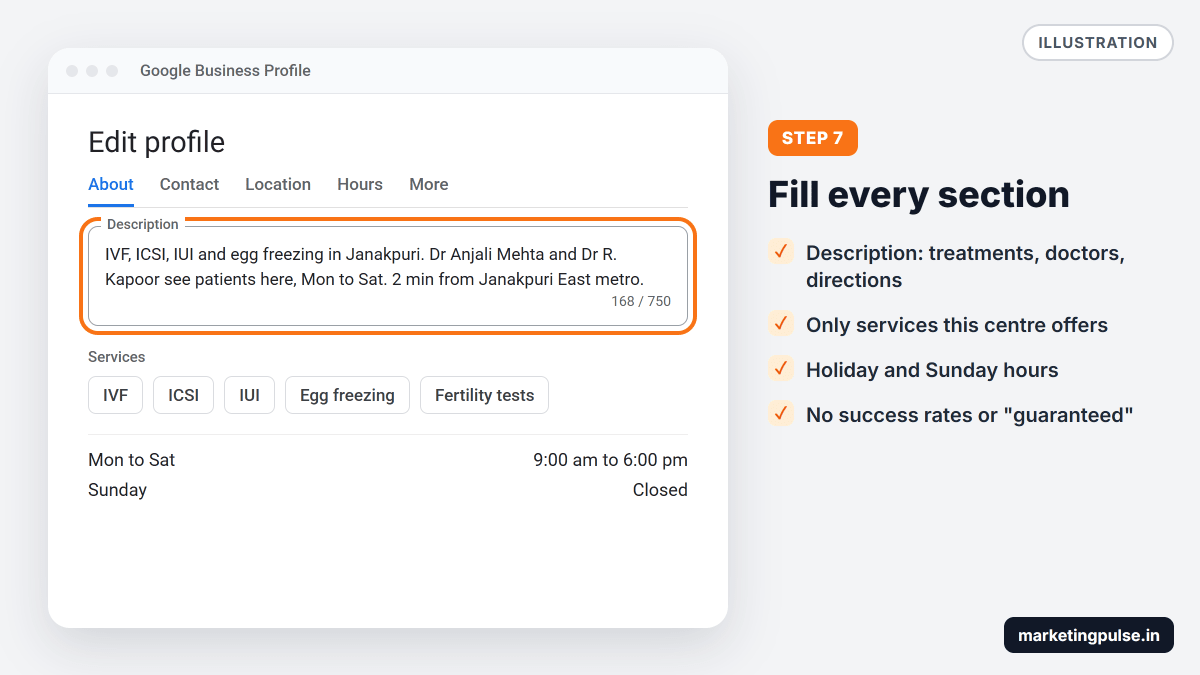
Step 7. Fill in the rest of the profile. After verification, open your profile on Google Search and select Edit profile. Add opening hours, including Sunday and holiday hours, then:
- Description: up to 750 characters on the treatments offered, the doctors and how to reach you. Leave out success rates and "guaranteed".
- Services: IVF, ICSI, IUI, egg freezing and fertility tests, but only what this centre offers.
- Attributes: a wheelchair-accessible entrance and online appointments, if they apply.
- Appointment link: your booking page or WhatsApp chat.
Step 8. Add photos. The photo section below covers this.
How to add your other centres
Every centre in a chain needs its own profile:
- Open Business Profile Manager at business.google.com/locations with the clinic's account.
- Select Add business, then Add single business, and repeat steps 2 to 7.
- With 10 or more centres, choose Import businesses, fill in Google's spreadsheet, then request bulk verification under Verifications, then Chain.
- Put all centres in one business group so your team manages them together.
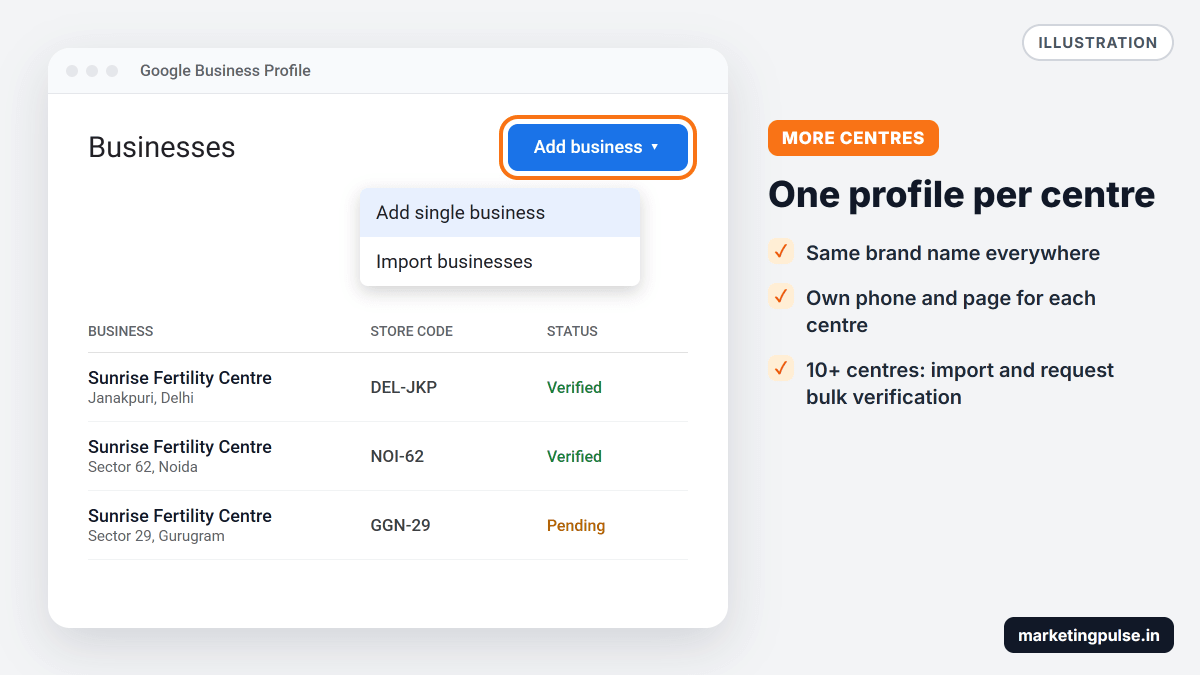
Keep the brand name the same on every profile, and give each centre its own phone number and website page. Do not create profiles in cities where you only have a tie-up clinic or a collection point.
Doctor profiles: how to list your fertility specialists
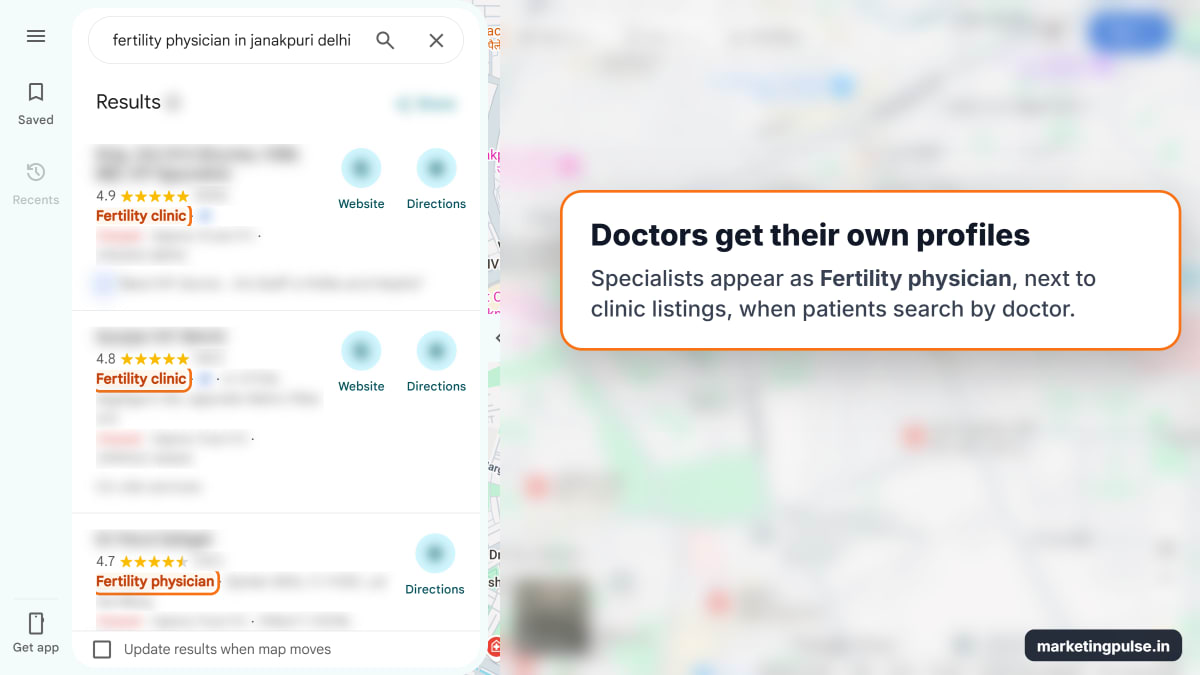
Patients often search for a doctor by name after a friend recommends one. Google lets each doctor who sees patients have a profile, as long as they can be contacted at that centre during the hours shown.
Set up each doctor's profile like this:
- Name: the doctor's name only, like "Dr Anjali Mehta". Titles such as Dr are fine, but not the clinic name or "Best IVF Doctor".
- Category: Fertility physician, plus Obstetrician-gynecologist if they also practise gynaecology.
- Address: the centre where they see patients, written exactly as on the centre's profile.
- Hours: their real consultation hours there.
If only one doctor sees patients at your clinic, Google asks for one profile named "Brand: Doctor name", such as "Sunrise Fertility: Dr Anjali Mehta". When a doctor leaves, update their profile quickly.
Choosing the right categories
Google has no "IVF" category. These are the ones that fit. Google's advice is to pick the most specific category and use as few as possible.
| Category | When to use it |
|---|---|
| Fertility clinic | Primary category for every IVF centre |
| Fertility physician | Primary category for each specialist's own profile |
| Obstetrician-gynecologist | Extra category for a doctor who also handles pregnancy care |
| Maternity hospital | Only if the building also handles deliveries |
| Medical laboratory | Only for a lab with its own public entrance and hours |
Google may ask you to verify again after you change a category, so choose carefully and change one at a time.
Photos that build trust without showing patients
Photos are often a nervous patient's first look inside your centre. Google accepts JPG or PNG files between 10 KB and 5 MB and recommends at least 720 by 720 pixels, sharp and without heavy filters.
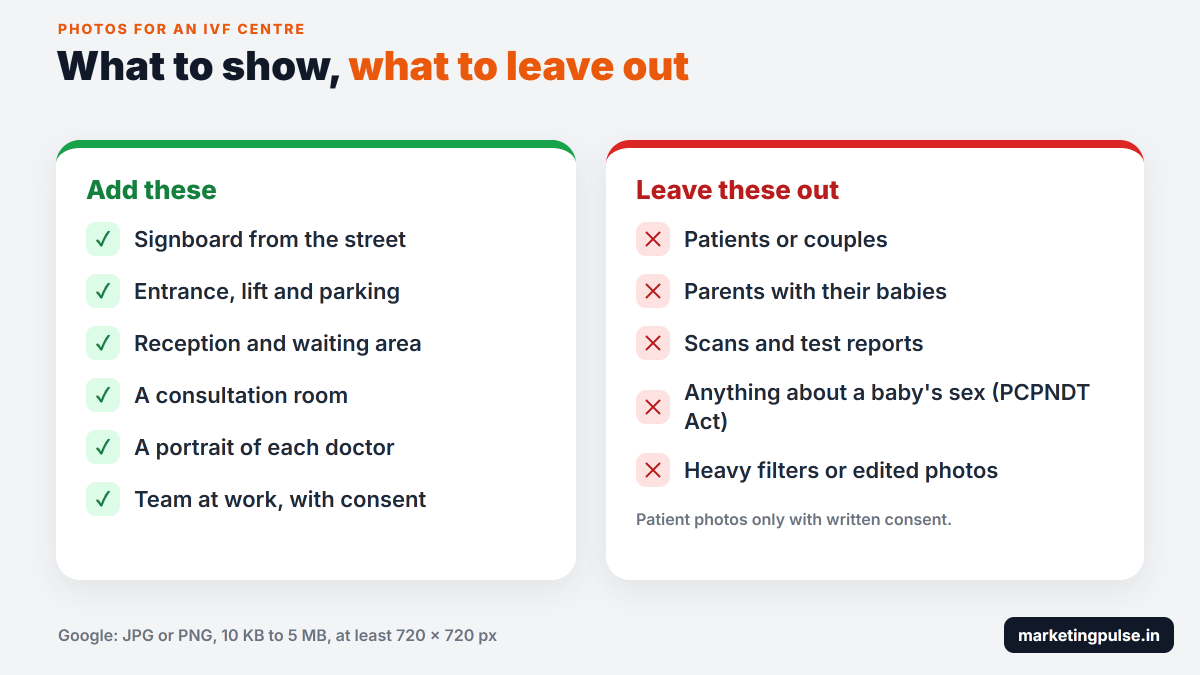
Add the building and signboard from the street, the entrance and parking, reception, a consultation room and a portrait of each doctor. To upload, open your profile, select Add photo, choose the files and select Upload. Use the signboard photo as your cover.
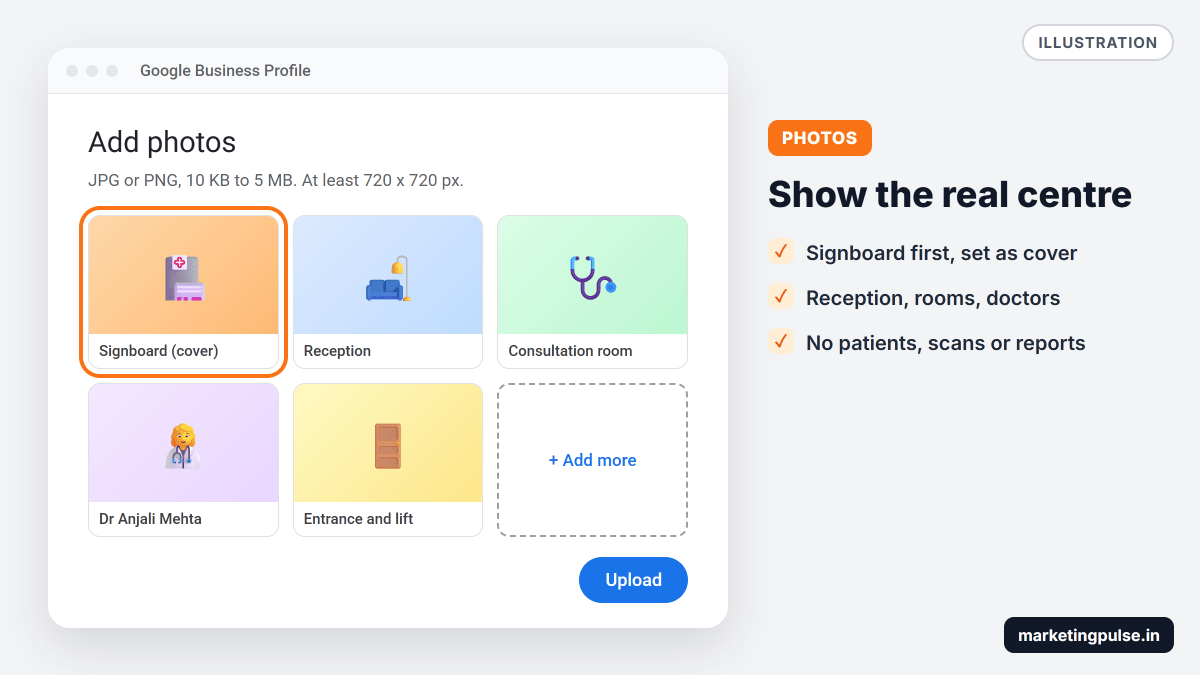
Never post photos of patients, couples with babies, or scans and reports without written consent. Avoid anything hinting at choosing a baby's sex, which Section 22 of the PCPNDT Act bans, including online.
Replying to reviews without revealing treatment
A warm reply like "So happy your IVF worked, congratulations on the twins!" tells everyone that this person had IVF at your centre. The patient may have said so, but your reply confirms it in the clinic's name. Section 21 of the ART (Regulation) Act 2021 requires clinics to keep patient information confidential.
The safe rule is to never confirm that the reviewer is your patient and never mention a treatment, result, date, report or bill. Reply to how the person feels.
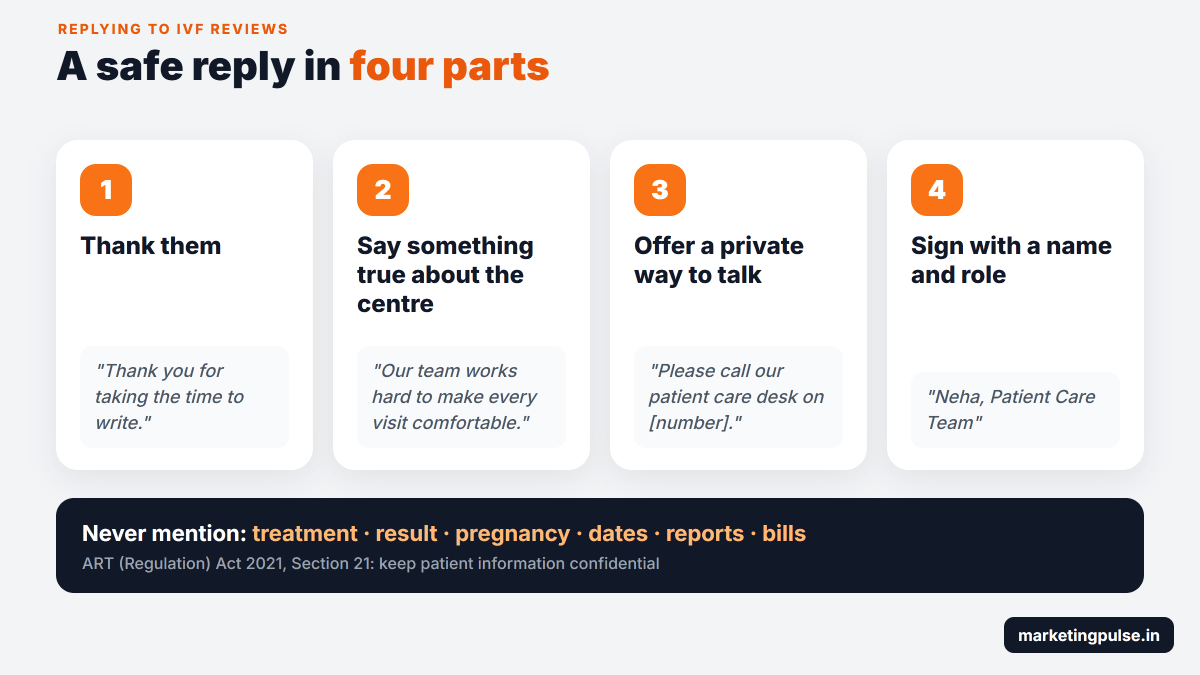
To reply, follow Google's steps on a verified profile:
- Open your Business Profile on Google Search or Maps.
- Select Read reviews.
- Next to the review, select Reply.
- Write your reply and select Reply to post it.
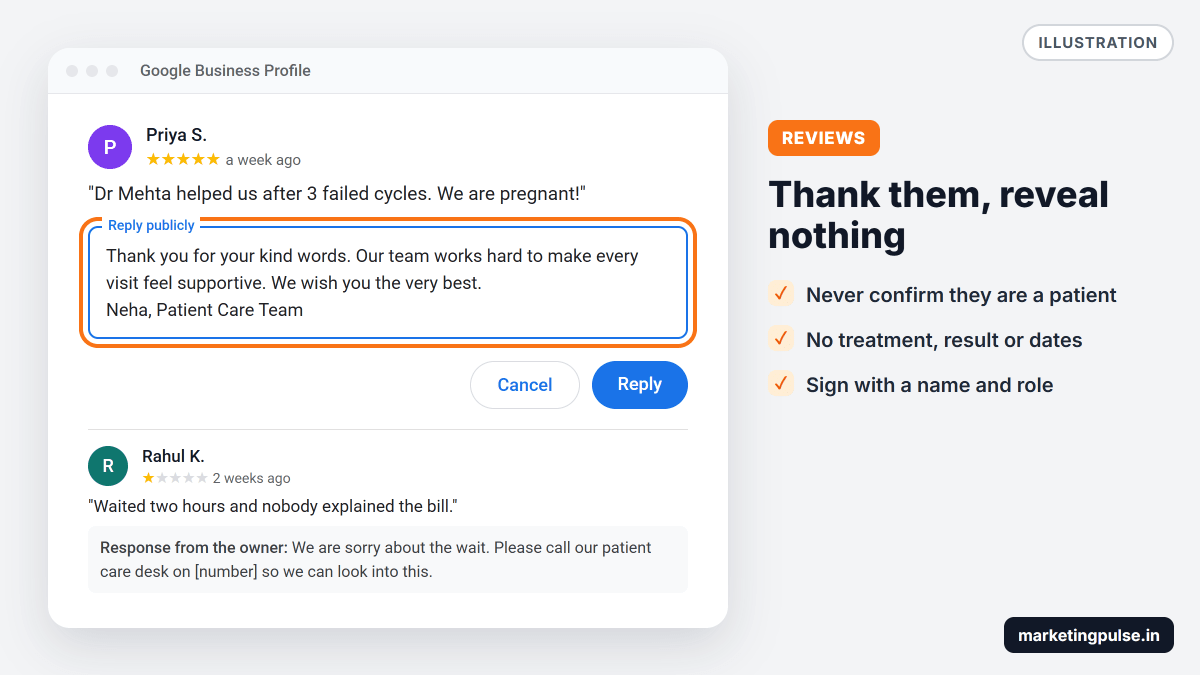
| Review | Unsafe reply | Safe reply |
|---|---|---|
| 5 stars: "Dr Mehta helped us after 3 failed cycles. We are pregnant!" | "Congratulations! So glad your fourth IVF cycle worked." | "Thank you for your kind words. Our team works hard to make every visit feel supportive. We wish you the very best." |
| 1 star: "Waited two hours and nobody explained the bill." | "Your ICSI package was explained on 12 March." | "We are sorry about the wait. Please call our patient care desk on [number] so we can look into this." |
| 2 stars: "Treatment failed, waste of money." | "Your AMH was low, so success was always unlikely." | "We understand how hard this journey can be. Please write to care@yourclinic.com so we can talk personally." |
Reply to every review within a day or two. In the BrightLocal survey, 81% of people expected a reply within a week and half were put off by copy-paste replies.
You can ask every patient for a review using your profile's review link or QR code. Google's review policy bans rewards for reviews, asking only happy patients, and pressuring people while they are at the clinic. Sending the link by SMS or WhatsApp to every patient after a consultation stays within those rules.
If replying to every review is too much for your front desk, our team can write the replies for you. Each one is written fresh and follows the rule above, and anything sensitive goes to your patient care team instead of being answered in public.
Mistakes that get IVF listings suspended or ignored
- Keywords or area names in the business name
- Profiles for cities without a centre, or at a virtual office
- Two profiles for the same centre or doctor
- One phone number for every centre
- Bought reviews, or reviews from staff and relatives
- An agency or former employee owning the Google account
Doing it yourself or getting help
A single centre can follow this guide and have a good profile ready in an afternoon. The harder part is keeping it working every month, and getting a chain's listings right.
Clinics often need help when something goes wrong. A profile is suspended after a name change, two centres share one phone number, a doctor who left still has a live profile, or a clinic two streets away keeps ranking above them on the map. In IVF, each of these sends consultations to another centre.
| Task | Doing it yourself | With MarketingPulse |
|---|---|---|
| Setup and verification | Each centre and doctor handled one by one, between clinic work | Every centre and doctor profile set up and verified for you |
| Doctor profiles | Easy to create duplicates or break the naming rules | Planned per centre, following Google's practitioner rules |
| Review replies | Written in a hurry, often by front-desk staff | Written to protect patient privacy under the ART Act |
| Photos and updates | Often forgotten after the first month | New photos, holiday hours and fixes every month |
| Reporting | Separate numbers inside each profile | One monthly report on calls, directions and enquiries per centre |
| Map rankings | Guesswork | Competitor research for each centre's area |
Our Google Business Profile optimisation service covers everything in this guide for every centre and doctor. If you also want your treatment and cost pages on Google's first page, our SEO for IVF centres service links each profile to a centre page on your website and checks every page against the ART Act and the PCPNDT Act.
Profile work is included in our local SEO plans, which start at ₹14,000 a month with no lock-in. Chains with several centres usually need a larger plan. You can see the local SEO and Google Business work we run for other businesses on our results page.
Every engagement starts the same way:
- A free audit of each centre and doctor profile, sent within 24 hours
- A fix list in order of impact, starting with anything that risks a suspension
- Setup, verification and clean-up for every centre and doctor
- Monthly photos, review replies and a report on the calls and enquiries each centre gets
Frequently asked questions
Is Google Business Profile free for IVF clinics?
Yes. The profile costs nothing. You only pay if you run Google Ads or hire someone to manage it. Our local SEO plans, which include profile management, start at ₹14,000 a month.
Can each IVF doctor have their own Google profile?
Yes, if the doctor sees patients at that centre and can be contacted there during the listed hours. Use only the doctor's name and choose Fertility physician as the category.
Should an IVF chain have one profile or one per centre?
One per centre, each with its own address, phone number and verification. With 10 or more centres you can apply for bulk verification.
Can you fix a suspended IVF clinic profile?
Usually, yes. Most suspensions come from a keyword-stuffed name, a wrong address or duplicate profiles. We find the cause, correct the profile and file the reinstatement request with Google. Send us the clinic name for a free check.
How soon will our centre move up on Google Maps?
With a complete, verified profile, fresh photos and steady reviews, most clinics see movement within 60 to 90 days. Busy areas take longer, and nobody can guarantee a position.
Do you work with IVF clinics outside Delhi?
Yes. We work with clinics across India from our offices in New Delhi and Aligarh, and Google Business Profile work is done online, so location does not limit what we can do. Our SEO for IVF centres page covers Delhi NCR, Mumbai, Bangalore, Chennai and Hyderabad in detail.
Is every centre showing up on Google Maps?
Send us your clinic's name. We will check each centre and doctor profile against Google's rules and send you a short fix list within 24 hours. Free, with no obligation.

Written by
Heeresh Varshney
Founder & MD, MarketingPulse · 10+ years in digital marketing
First-generation entrepreneur with proven digital marketing strategies and a long list of happy clients. Heeresh loves using advanced technology as a solution for business growth — and can help you hit your business targets with digital marketing that is measured, not guessed. More about Heeresh.